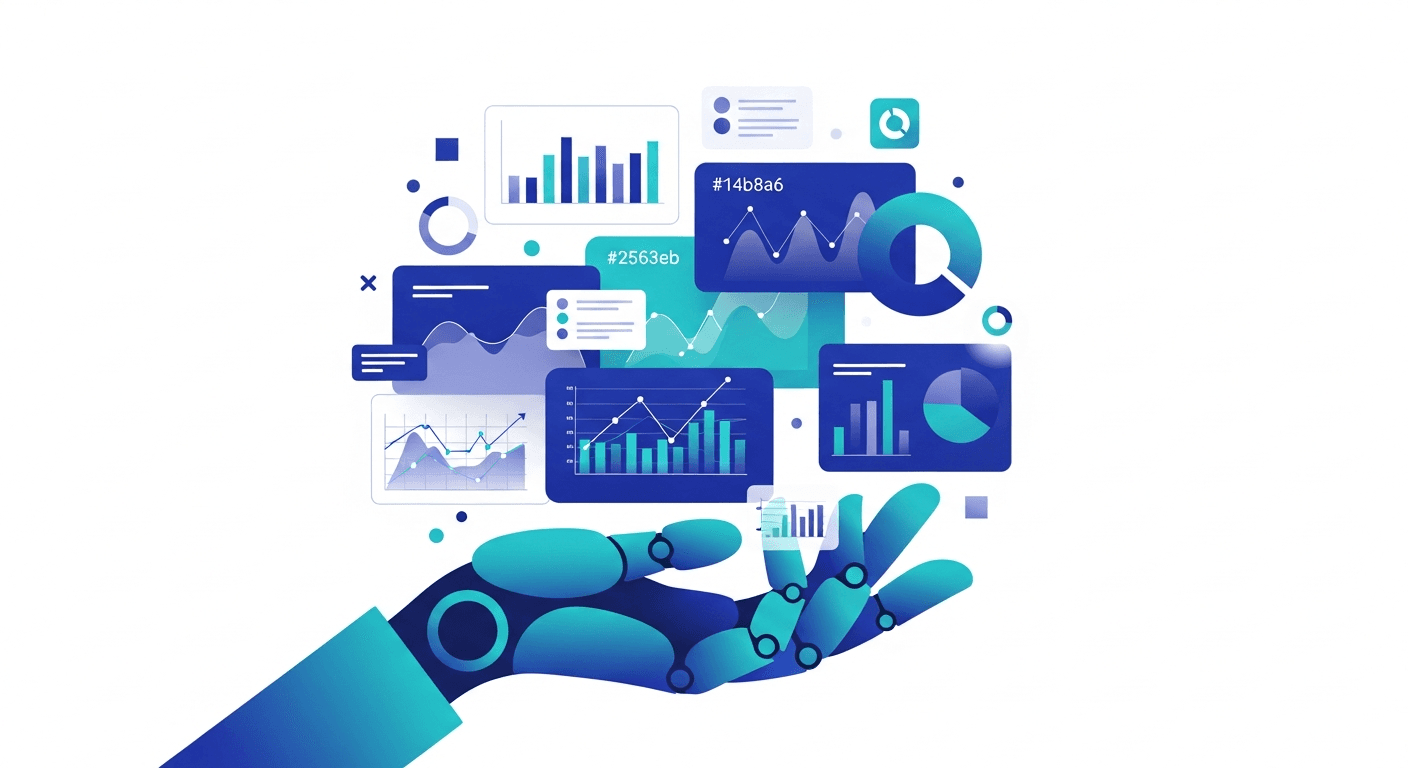
Data Visualization Using AI: How It Works
Learn how data visualization using AI works, from natural language chart generation to automated insights. Understand the technology behind AI-powered visualizations.
Ashesh Dhakal
Published February 19, 2026
Introduction: How AI Is Redefining Data Visualization
Data visualization has always been about translating numbers into understanding. Charts, graphs, and dashboards give shape to raw data, making patterns visible that would otherwise remain buried in spreadsheets. But creating effective visualizations has traditionally required a combination of technical skill, design sensibility, and statistical knowledge -- a rare trifecta that most professionals simply do not have the time to master.
Data visualization using AI changes this equation fundamentally. Tools like AnalyzeData now handle the entire process from upload to finished chart, for free. Instead of manually selecting chart types, configuring axes, choosing color palettes, and writing plotting code, you describe what you want to see -- and the AI handles the rest. The technology behind this capability is sophisticated, combining natural language processing, statistical analysis, and automated design principles into a pipeline that transforms plain English into publication-quality visuals.
If you are exploring the broader landscape of AI-powered data visualization tools, this article provides the technical foundation you need to understand how these systems actually work under the hood. For a look at how the underlying models create visuals, see our primer on generative AI for data visualization. We will walk through the complete technology pipeline, compare different approaches, examine real-world applications, and look at where AI visualization is headed.
The Technology Pipeline: From Text to Chart
At its core, AI-powered data visualization follows a multi-stage pipeline. Each stage solves a different piece of the puzzle, and understanding these stages helps you evaluate tools, troubleshoot unexpected results, and make the most of what the technology offers.
Stage 1: Natural Language Understanding
The pipeline begins when you provide an instruction -- typically a natural language prompt like "show me a trend of monthly revenue over the past year" or "compare customer acquisition costs across channels." The AI must parse this sentence and extract several pieces of structured information:
- The data source or columns referenced (revenue, date, acquisition costs, channels)
- The analytical intent (trend over time, comparison across categories)
- Implicit constraints (past year implies a date filter, "compare" implies a grouped or side-by-side view)
- Desired granularity (monthly aggregation)
Modern AI visualization systems use large language models (LLMs) for this step. The LLM has been trained on vast corpora of text that include data analysis conversations, chart descriptions, and visualization specifications. When you say "trend," the model understands this implies a time-series line chart. When you say "compare," it recognizes the need for a bar chart or grouped visualization.
This is not simple keyword matching. Consider the difference between "show me the distribution of salaries" (which calls for a histogram or box plot) and "show me average salary by department" (which calls for a bar chart). The AI must interpret semantic meaning, not just detect words.
Stage 2: Data Analysis and Preparation
Once the AI understands your intent, it needs to prepare the data. This stage involves:
Schema mapping: The AI maps your natural language references to actual column names in your dataset. If you say "revenue" but your column is labeled "total_sales_usd," the system needs to make that connection through semantic similarity or metadata analysis.
Aggregation and transformation: Most visualization requests require some data transformation. A "monthly trend" requires grouping by month and summing or averaging. A "top 10 products" requires sorting and limiting. The AI generates these transformations automatically.
Data type inference: The system must determine whether a column is categorical, numerical, temporal, or ordinal, because this directly affects which visualization types are appropriate. Dates on the x-axis call for time-series charts. Categorical data calls for bar charts or pie charts. Two numerical variables call for scatter plots.
Filtering and cleaning: If the data contains nulls, outliers, or irrelevant records, the AI may apply cleaning steps before visualization. Some systems do this transparently; others flag data quality issues for your review.
Stage 3: Chart Type Selection
This is where statistical reasoning meets design principles. Given the data types, the user's intent, and the volume of data, the AI selects the most appropriate chart type. The selection logic follows established data visualization best practices:
| Data Relationship | Recommended Chart Types |
|---|---|
| Trend over time | Line chart, area chart |
| Part-to-whole composition | Pie chart, stacked bar, treemap |
| Comparison across categories | Bar chart, grouped bar chart |
| Distribution of a variable | Histogram, box plot, violin plot |
| Correlation between variables | Scatter plot, bubble chart |
| Geographic distribution | Choropleth map, point map |
| Ranking | Horizontal bar chart, lollipop chart |
| Flow or process | Sankey diagram, funnel chart |
Sophisticated systems go beyond simple lookup tables. They consider the number of data points (a pie chart with 50 slices is unreadable), the cardinality of categories (too many categories need a different approach), and the variance of the data (a scatter plot with all points clustered in one corner needs axis adjustment).
Stage 4: Rendering and Styling
The final stage produces the actual visual. The AI generates code or configuration for a rendering engine -- typically a JavaScript library like D3.js, Chart.js, Recharts, or Plotly on the web, or matplotlib and seaborn in Python environments.
Styling decisions include:
- Color palette selection -- Choosing colors that are distinguishable, accessible to colorblind users, and aesthetically consistent
- Axis labeling and formatting -- Appropriate number formatting, date formatting, and label rotation
- Legend placement -- Positioning legends where they do not obscure data
- Annotation -- Highlighting key data points, adding trend lines, or marking thresholds
- Responsive design -- Ensuring the chart renders well across screen sizes
Some AI systems also generate titles, subtitles, and descriptive captions that summarize the key insight the chart reveals.
Types of AI Visualization Approaches
Not all AI visualization systems work the same way. Understanding the different approaches helps you select the right tool for your needs.
Approach 1: Code-Generating AI
These systems take your prompt and generate visualization code -- typically Python (matplotlib, seaborn, plotly) or JavaScript. You then run the code to produce the chart.
How it works: The LLM generates a complete code snippet based on your prompt and data schema. You execute the code in a notebook, script, or sandbox environment.
Strengths:
- Full control over the output
- Code is inspectable and modifiable
- Integrates with existing development workflows
- Reproducible and version-controllable
Weaknesses:
- Requires a coding environment
- Generated code may contain errors
- Slower iteration cycle (write, run, fix, repeat)
Examples: ChatGPT Code Interpreter, GitHub Copilot, Jupyter AI
For a deeper exploration of code-generation approaches applied to data analysis, see our article on AI-assisted code generation for data analysis.
Approach 2: Direct Rendering AI
These systems skip the code step entirely. You provide data and a prompt, and the system renders a chart directly in the browser or application. There is no intermediate code for you to manage.
How it works: The AI processes your request server-side, generates chart specifications (often in a format like Vega-Lite or an internal JSON schema), and renders the result as an interactive visualization.
Strengths:
- No coding required at all
- Instant results
- Accessible to non-technical users
- Often produces cleaner default styling
Weaknesses:
- Less customizable than code-based approaches
- May not support highly specialized chart types
- Harder to integrate into automated pipelines
Examples: AnalyzeData, ThoughtSpot, Tableau AI Ask Data. See our full comparison of AI tools for data visualization for a side-by-side view of these platforms.
Approach 3: Template-Based AI
These systems use AI to select and populate pre-designed chart templates rather than generating charts from scratch. The AI's role is matching your data and intent to the best template and configuring it appropriately.
How it works: A library of chart templates exists, each designed for specific data patterns. The AI classifies your request, selects the appropriate template, maps your data columns to template variables, and renders the result.
Strengths:
- Consistent, professional design quality
- Fast rendering
- Predictable output
Weaknesses:
- Limited to available templates
- Less flexible for unusual data shapes
- Can feel formulaic
Approach 4: Multi-Agent Visualization Systems
The most advanced systems in 2026 use multiple AI agents collaborating on visualization tasks. One agent handles data preparation, another selects chart types, a third handles styling, and a coordinator agent manages the workflow.
How it works: Your request is decomposed into sub-tasks, each handled by a specialized agent. The agents communicate through structured messages, and the final output is assembled from their collective work.
Strengths:
- Handles complex, multi-chart dashboards
- Each agent can specialize and improve independently
- Can reason about visualization narratives (which charts tell a story together)
Weaknesses:
- Higher latency due to multi-step processing
- More complex failure modes
- Typically requires more compute resources
For more on how AI agents are being applied to analytical workflows, see our guide on AI agents for data analysis.
Real-World Applications
Business Intelligence and Reporting
Corporate teams use AI visualization to generate weekly reports that previously took analysts hours to assemble. A product manager can ask "show me the conversion funnel for the past quarter broken down by traffic source" and get an interactive funnel chart in seconds, complete with percentage annotations and comparisons to the previous quarter.
Scientific Research
Researchers working with large datasets use AI visualization to explore data during the exploratory phase of their work. A genomics researcher might ask "plot gene expression levels across tissue types for the top 20 differentially expressed genes" and get a heatmap with hierarchical clustering -- a visualization that would take significant coding effort to produce manually.
Financial Analysis
Financial analysts use AI-generated charts for portfolio analysis, risk assessment, and market trend visualization. The ability to quickly generate candlestick charts, correlation matrices, and performance attribution charts from natural language saves hours of manual charting in Excel or Bloomberg Terminal.
Education and Journalism
Data journalists and educators use AI visualization to create explanatory graphics. Rather than learning D3.js or hiring a graphics team, a journalist can generate interactive charts that illustrate a story about housing prices, election results, or climate data.
Benefits Over Traditional Visualization Methods
Speed
The most obvious advantage is speed. Creating a polished visualization manually -- selecting the chart type, writing the code or configuring the tool, adjusting formatting, iterating on design -- can take 20-60 minutes. Data visualization using AI produces equivalent results in seconds.
Accessibility
Traditional visualization tools have steep learning curves. Tableau requires training. Python visualization libraries require programming skill. Even Excel charting has non-obvious configuration steps. AI visualization requires only the ability to describe what you want in words.
Consistency
When multiple team members create charts manually, the results are inconsistent -- different color schemes, axis formatting, label conventions. AI visualization systems apply consistent styling rules, producing charts that look like they belong in the same report.
Discovery
Perhaps the most underappreciated benefit is that AI visualization systems can suggest charts you would not have thought to create. By analyzing your data holistically, the AI might notice a correlation or pattern that you had not considered and present it proactively. This turns visualization from a confirmatory exercise (showing what you already expect) into an exploratory one (revealing what you did not know).
Reduced Errors
Manual chart creation is surprisingly error-prone. Axes get mislabeled. Data gets plotted against the wrong column. Aggregations are computed incorrectly. AI systems that work directly with the underlying data are less likely to make these mechanical errors, though they can still make interpretive ones.
Limitations and Challenges
Ambiguity in Natural Language
Natural language is inherently ambiguous. When you say "show me performance by region," the AI must decide: performance of what? Which regions? What metric? Over what time period? Good systems ask clarifying questions; others make assumptions that may not match your intent.
Inability to Understand Context
AI visualization systems operate on the data you provide. They do not know that your company recently changed its pricing model, that Q3 numbers are inflated due to an accounting adjustment, or that two regions were merged. This contextual knowledge affects how data should be visualized and interpreted, and its absence can lead to misleading charts.
Limitations in Unconventional Chart Types
While AI excels at generating standard chart types (bar, line, scatter, pie, heatmap), it struggles with highly specialized or custom visualizations. Network graphs, Sankey diagrams with complex flows, or domain-specific chart types (like survival curves in medical research) may not be well-supported.
Over-Reliance Risk
When charts are easy to generate, there is a risk of creating too many visualizations without thinking critically about which ones actually answer important questions. The ease of AI visualization can lead to "chart dumping" -- producing dozens of charts without a clear analytical narrative.
Data Privacy Considerations
Cloud-based AI visualization tools require sending your data to external servers. For sensitive datasets -- financial records, medical data, proprietary business information -- this raises legitimate privacy and compliance concerns. On-premise or local AI solutions exist but are typically less capable.
How AI Visualization Quality Is Improving
The quality of data visualization using AI has improved dramatically between 2023 and 2026, driven by several technical advances:
Better training data: LLMs are now trained on larger corpora of visualization code and chart descriptions, improving their understanding of which charts work for which data types.
Feedback loops: Systems like AnalyzeData and ThoughtSpot incorporate user feedback (did the user modify the chart? regenerate it? accept it as-is?) to improve future recommendations.
Multimodal models: Modern AI models can process both text and images, allowing them to evaluate the visual quality of the charts they generate and self-correct issues like overlapping labels or poor color contrast.
Domain-specific fine-tuning: Specialized models fine-tuned on business intelligence, scientific, or financial visualization data produce better results in those domains than general-purpose models.
The Role of AI in Visualization Best Practices
AI visualization tools are also becoming educators. The best systems do not just generate charts -- they explain why a particular chart type was chosen, what the data reveals, and how to interpret the visualization correctly.
This is significant because data literacy remains a challenge in most organizations. When the AI explains "I chose a logarithmic scale because the values span three orders of magnitude, and a linear scale would compress the smaller values into an unreadable band," it teaches the user a visualization principle they can apply in the future.
Future Directions
Real-Time Adaptive Visualizations
Future AI visualization systems will monitor data streams and automatically adjust visualizations as data changes. Instead of static charts that represent a snapshot, you will see living visualizations that update their chart type, scale, and emphasis based on what the data is doing right now.
Narrative Visualization
AI will increasingly generate not just individual charts but complete data stories -- sequences of visualizations with connecting narrative text that guide the reader through an analysis. Think of it as an AI-authored data journalism piece tailored to your specific dataset.
Collaborative Visualization
Multi-user AI visualization, where team members contribute prompts and the AI synthesizes a coherent dashboard from everyone's questions, is an emerging capability that will mature over the next few years.
Augmented Reality Data Visualization
As AR hardware improves, AI-generated 3D visualizations will become practical for spatial data, complex networks, and immersive data exploration scenarios.
How AnalyzeData Helps
AnalyzeData embodies the direct rendering AI approach described above, and it does so with a focus on accessibility and speed. When you upload a dataset to AnalyzeData, the platform automatically analyzes your data and generates relevant visualizations -- no prompting required for the initial analysis. You can then ask follow-up questions in natural language to generate specific charts, drill into patterns, or explore alternative views.
What sets AnalyzeData apart for AI-powered visualization:
- Automatic chart selection -- The platform analyzes your data types and relationships to choose the most effective chart types without any configuration
- Natural language interaction -- Ask for specific visualizations in plain English and get results instantly
- Statistical context -- Charts are accompanied by statistical analysis, so you understand not just what the data looks like but what it means
- Zero setup -- No code, no libraries, no environment configuration. Upload your data and start visualizing
- Export-ready output -- Generated visualizations are clean and professional enough for reports and presentations
For teams exploring the best AI data visualization tools, AnalyzeData represents the fastest path from raw data to visual insight. If you want a tool that handles chart creation from a single prompt, try our AI data visualization generator. Browse all of our data visualization articles for more guides and comparisons.
Try AnalyzeData free -- upload your data and see AI visualization in action
Frequently Asked Questions
How does AI decide which chart type to use for my data?
AI visualization systems analyze several factors: the data types of your columns (categorical, numerical, temporal), the relationship you are asking about (trend, comparison, distribution, composition), the number of data points, and the cardinality of categorical variables. These factors are matched against established data visualization best practices. For example, temporal data with a single metric suggests a line chart, while comparing values across a small number of categories suggests a bar chart. More advanced systems also consider the specific distribution of your data -- if values vary by orders of magnitude, they might recommend a logarithmic scale.
Can AI-generated visualizations be customized after creation?
This depends on the tool. Code-generating approaches (like ChatGPT Code Interpreter) produce modifiable code that you can edit freely. Direct rendering tools (like AnalyzeData) typically offer customization options within their interface -- changing colors, labels, chart types, or filters. Template-based systems offer the least customization. If extensive customization is important to you, look for tools that either generate editable code or offer rich configuration options in their UI.
Is AI visualization accurate enough for business decisions?
The visualizations themselves are generated from your actual data, so the underlying numbers are accurate. The risk lies in interpretation -- the AI might choose a chart type that inadvertently emphasizes or obscures certain patterns, or it might apply a default aggregation (mean vs. median, for example) that is not appropriate for your use case. For important business decisions, always verify the AI's chart type choice and aggregation logic. Use the visualization as a starting point and apply your domain knowledge to validate the insight.
What data formats work best with AI visualization tools?
Most AI visualization tools work best with structured tabular data -- CSV files, Excel spreadsheets, or database tables with clear column headers and consistent data types. Clean data with descriptive column names produces the best results because the AI can more easily map your natural language requests to the correct columns. Unstructured data, nested JSON, or data with cryptic column names (like "col_a," "x1," "val") will produce less reliable results because the AI has less semantic information to work with.
How does AI visualization handle large datasets?
Different tools handle scale differently. Some perform server-side aggregation before rendering, which allows them to handle millions of rows but means you see summarized data. Others sample the data, which is faster but may miss patterns in the full dataset. A few perform full client-side rendering with progressive loading. For very large datasets (millions of rows), look for tools that explicitly describe their approach to scale. AnalyzeData handles large datasets through server-side processing, ensuring you get accurate visualizations without browser performance issues.
Key Takeaways
- Data visualization using AI follows a four-stage pipeline: natural language understanding, data analysis and preparation, chart type selection, and rendering with styling
- Four main approaches exist: code-generating AI, direct rendering AI, template-based AI, and multi-agent systems, each with distinct tradeoffs between flexibility and ease of use
- Chart type selection is driven by data types, analytical intent, data volume, and established visualization best practices -- not random choice
- Real-world applications span business intelligence, scientific research, financial analysis, education, and journalism
- Key benefits over traditional methods include speed (seconds vs. minutes), accessibility (no coding required), consistency (uniform styling), and discovery (AI suggests charts you would not have thought to create)
- Limitations include natural language ambiguity, lack of contextual understanding, weakness with unconventional chart types, and data privacy concerns for cloud-based tools
- Quality is improving rapidly thanks to better training data, user feedback loops, multimodal models, and domain-specific fine-tuning
- AnalyzeData provides a zero-setup, direct rendering AI visualization experience that turns uploaded datasets into professional charts and statistical insights instantly
Ashesh Dhakal
Founder & Data Scientist
Ashesh Dhakal is a Data Science student at the University of Manitoba and a full-stack developer specializing in AI-powered applications. He holds a Computer Programming Diploma with Honors. His expertise spans explainable AI, natural language processing, and building production AI platforms.
Related Articles
AI Data Visualization Generator: Create Charts From Data Automatically
Create professional charts and graphs automatically with an AI data visualization generator. Upload your data, describe what you want, and get interactive visualizations in seconds.
![Generative AI for Data Visualization: How It Works & Best Tools [2026]](/_next/image?url=%2Fimages%2Fblog%2Fgenerative-ai-for-data-visualization.png&w=3840&q=75)
Generative AI for Data Visualization: How It Works & Best Tools [2026]
How generative AI creates data visualizations from natural language. Learn how generative AI transforms data into charts, the best tools, and how to use them effectively.
AI Tools for Data Visualization: Complete Guide
A comprehensive guide to AI tools for data visualization. Compare top platforms, learn key features, and discover how AI is transforming the way we create charts and graphs.