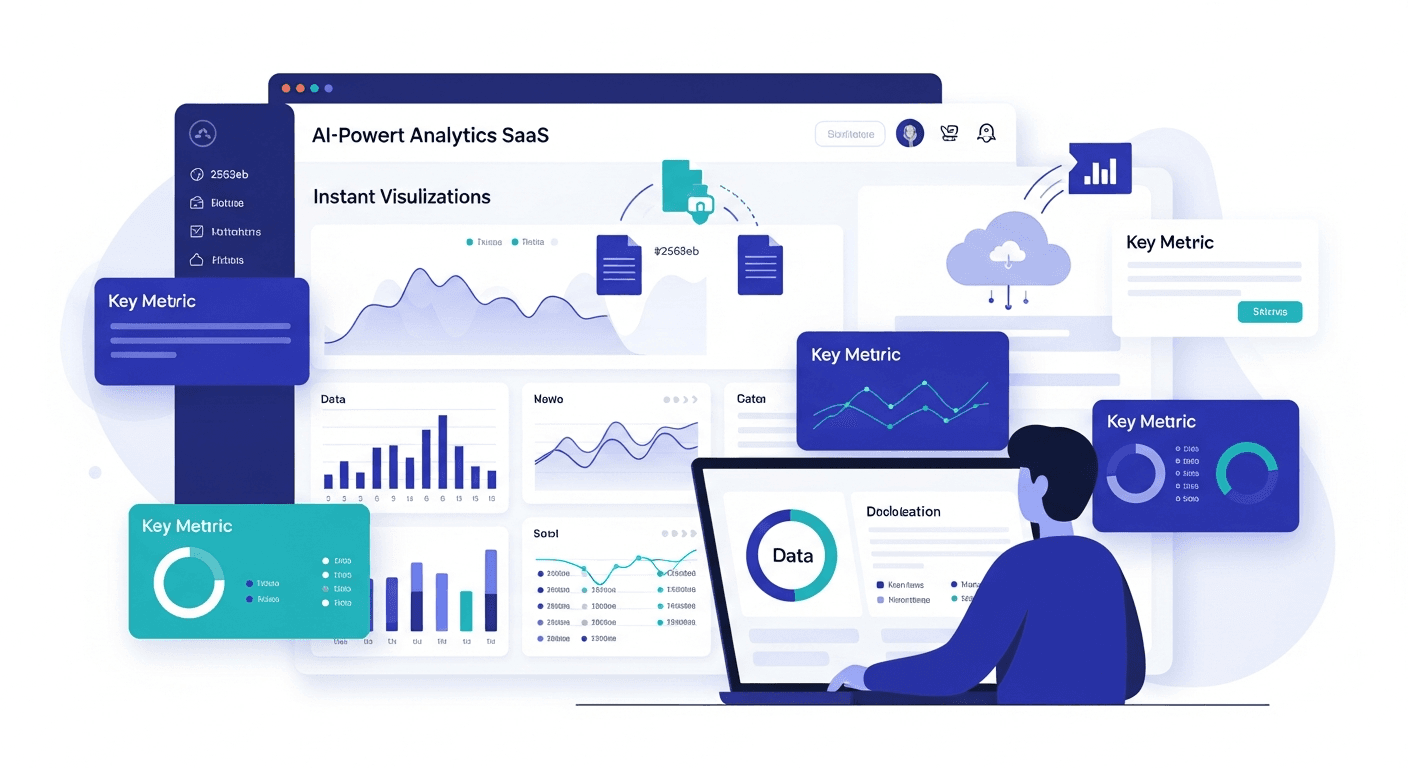
Using AI to Analyze Data: Complete 2026 Guide
A complete guide to using AI for data analysis in 2026. Covers methods, tools, use cases, and how AI transforms the way organizations extract insights from data.
Ashesh Dhakal
Published February 20, 2026
The way organizations analyze data has changed more in the past three years than in the previous three decades. Before 2023, meaningful data analysis required either a skilled data scientist or a business analyst with deep tool expertise. In 2026, an AI system can take a raw dataset and produce professional-grade statistical analysis, visualizations, and narrative insights in under a minute — accessible to anyone.
This is not an incremental improvement. It is a fundamental shift in who can extract value from data and how quickly. If you want to go beyond tables and see your data as charts, our AI data visualization tool turns any dataset into interactive visuals instantly. According to Gartner's 2025 Data & Analytics survey, 67% of enterprise organizations now use AI-assisted analysis for at least some of their analytical workloads — up from just 22% in 2022. The pace of adoption reflects a simple reality: AI data analysis works, and it works for people without technical backgrounds.
This guide covers everything you need to understand about using AI to analyze data in 2026: the technical methods, the leading tools, the real-world use cases, practical implementation steps, and an honest look at where AI analysis excels and where human expertise remains essential. For a step-by-step walkthrough, see our companion article on how to use AI to analyze data. You can also browse all of our data analysis guides for additional resources.
What Is AI Data Analysis?
AI data analysis is the use of artificial intelligence systems to examine datasets, identify patterns, perform statistical calculations, and generate insights — with minimal or no human instruction about which specific analyses to run.
The definition has three components worth unpacking:
"Artificial intelligence systems" — Modern AI analysis tools are built on large language models (LLMs), machine learning algorithms, and statistical inference engines working in combination. The LLM handles natural language understanding (interpreting your questions) and explanation generation (translating results into plain English). The statistical engine handles computation.
"Identify patterns, perform statistical calculations" — AI analysis goes beyond simply calculating numbers you specify. The AI observes your data and determines which analyses are most informative. It might identify a correlation you had not thought to look for, or detect an outlier cluster that suggests a data quality issue or a meaningful subpopulation.
"With minimal or no human instruction" — This is what distinguishes AI analysis from traditional tools. You do not need to specify: "calculate the Pearson correlation coefficient between column A and column B, then test for statistical significance at p < 0.05." You ask "are these two things related?" and the AI handles the methodology.
What AI Data Analysis Is Not
It is worth being precise about the boundaries:
- Not a replacement for all human judgment. AI identifies what the data shows, but humans must interpret what it means in context and decide what to do about it.
- Not infallible. AI can make interpretive errors, especially with ambiguous data or questions that require domain expertise. See our overview of the best AI for analyzing data for guidance on choosing a reliable tool.
- Not magic. AI works with the data you give it. Poor data quality produces unreliable insights regardless of how sophisticated the AI is.
How AI Analyzes Data: The Technical Process
Understanding how AI analyzes data — even at a simplified level — helps you work with these tools more effectively and evaluate their outputs critically.
Phase 1: Data Ingestion and Profiling
When you upload a dataset, the AI immediately begins profiling it:
- Schema detection: Identifies column names, data types (numeric, categorical, temporal, text), and relationships between columns
- Quality assessment: Calculates null rates, detects duplicate rows, identifies inconsistent values in categorical columns
- Statistical profiling: Computes summary statistics for each column (mean, median, standard deviation, min, max, percentiles, unique value count)
- Structure analysis: Identifies whether the data represents time series, cross-sectional, longitudinal, or other data structures
This profiling phase happens before you ask a single question. It is the AI "reading" your dataset the same way a skilled analyst would spend their first few minutes examining a new file.
Phase 2: Intent Recognition
When you ask a question, the AI must interpret your intent:
- Natural language parsing: Understanding the semantic meaning of your question, not just keywords
- Entity extraction: Identifying which columns and metrics you are referring to (even if you use informal names)
- Analytical intent classification: Determining whether you want trend analysis, comparison, correlation, distribution, ranking, or something else
- Ambiguity resolution: Recognizing when a question could be interpreted multiple ways and either asking for clarification or choosing the most likely interpretation
A question like "how are we doing by region?" requires the AI to infer: what metric constitutes "doing well" (likely revenue or growth), what "by region" means relative to your specific column structure, and what time period you likely care about (probably recent).
Phase 3: Analysis Execution
The AI executes the appropriate statistical operations for your question:
- Aggregation: Grouping data by categories and computing summary statistics
- Statistical testing: Applying correlation, regression, significance testing, or other statistical methods as appropriate
- Time-series analysis: Decomposing trends, seasonality, and anomalies in temporal data
- Outlier detection: Identifying records that deviate significantly from expected patterns
Phase 4: Visualization and Presentation
Finally, the AI selects appropriate visualizations and generates explanations:
- Chart type selection: Choosing the most communicative visualization for the data type and relationship (line charts for trends, bar charts for comparisons, scatter plots for correlations, histograms for distributions)
- Design and formatting: Applying appropriate scales, labels, colors, and annotations
- Narrative generation: Producing plain-language explanations of what the charts show and why it matters
Key Methods of Using AI to Analyze Data
Natural Language Processing (NLP)
NLP is the capability that makes AI analysis accessible to non-technical users. Instead of writing SQL queries or Python code, you ask questions in plain English. The LLM at the core of the AI tool understands your question's meaning, maps it to your data's structure, and generates the appropriate analytical operation.
NLP analysis excels at:
- Answering specific questions about your data ("which customers spent the most in Q3?")
- Generating summaries in plain language ("describe the key trends in this dataset")
- Translating complex statistical results into accessible explanations
- Handling follow-up questions that build on previous analysis
Machine Learning Models
For predictive and pattern-recognition tasks, AI analysis tools apply machine learning models:
- Clustering algorithms (K-means, DBSCAN) identify natural groupings in your data without predefined categories
- Classification models predict which category a data point belongs to based on its features
- Regression models quantify the relationship between a target variable and predictor variables, enabling prediction and causal hypothesis generation
- Anomaly detection models identify records that deviate from normal patterns
In 2026, most of these models run automatically in the background — you do not need to know they exist to benefit from them. For more on how autonomous systems handle analytical workflows end to end, read our guide to AI agents for data analysis.
Statistical AI Analysis
This encompasses the core statistical methods that AI tools apply intelligently rather than requiring manual specification:
- Descriptive statistics: Automatically computed for every numeric column
- Inferential statistics: Significance testing, confidence intervals, effect size calculations applied when comparing groups or testing correlations
- Time-series analysis: Trend decomposition, seasonality detection, and moving averages for temporal data
- Multivariate analysis: Examining relationships across multiple variables simultaneously
The key advance in 2026 is that the AI selects these methods appropriately for your data and question, rather than requiring you to choose the right statistical test yourself.
Pattern Recognition
Beyond formal statistical methods, AI excels at recognizing patterns that humans might overlook in large datasets:
- Seasonality: Recurring patterns at daily, weekly, monthly, or yearly intervals
- Segmentation: Natural clusters of records with similar characteristics
- Sequential patterns: Sequences of events that tend to occur together (important in customer journey analysis)
- Anomalies: Data points that break established patterns, which may represent errors, opportunities, or threats
Top Use Cases for AI Data Analysis in 2026
Business Intelligence
The most widespread application of AI data analysis in 2026 is business intelligence — helping organizations understand how they are performing and why.
Typical analyses:
- Revenue trend analysis by product, region, channel, and customer segment
- Customer acquisition, retention, and churn analysis
- Operational efficiency metrics (cycle times, throughput, defect rates)
- Marketing attribution and campaign performance analysis
AI has democratized BI, making it accessible to small businesses and individual contributors who cannot justify enterprise BI software licensing costs. A startup founder can upload their monthly metrics spreadsheet and get a comprehensive performance analysis in minutes.
Healthcare Data
Healthcare organizations generate massive volumes of data — patient records, clinical outcomes, operational metrics, research data. AI analysis is enabling faster insight extraction across several dimensions:
- Clinical outcomes analysis: Identifying which treatment protocols are associated with better patient outcomes
- Operational efficiency: Analyzing appointment scheduling, bed utilization, and staff allocation patterns
- Readmission prediction: Identifying patients at high risk of hospital readmission based on clinical and demographic factors
- Research data exploration: Helping researchers explore large clinical trial datasets during the exploratory analysis phase
Healthcare AI analysis tools must comply with HIPAA and similar regulations — always verify data handling policies before using AI tools with patient data.
Marketing Analytics
Marketing teams use AI data analysis to move from vanity metrics to actionable insight:
- Campaign attribution: Understanding which marketing channels and touchpoints drive conversions, accounting for multi-touch attribution
- Customer lifetime value modeling: Predicting future revenue from different customer segments
- Content and creative performance: Identifying which content types, themes, and formats drive engagement and conversion
- Audience segmentation: Clustering customers by behavior, preferences, and value for targeted campaign design
A digital marketing manager can upload email campaign data and immediately understand open rates, click patterns, conversion rates, and audience segment performance — without querying a database or building reports. For a side-by-side look at dedicated platforms, see our AI tools comparison.
Financial Analysis
Finance teams apply AI analysis to both internal financial data and external market data:
- Expense analysis: Identifying cost categories growing faster than revenue, detecting unusual transactions
- Revenue forecasting: Identifying trends and seasonal patterns in historical revenue to inform projections
- Budget variance analysis: Comparing actual versus planned performance across categories
- Risk assessment: Identifying financial metrics that historically precede adverse events
Research Data
Academic and professional researchers are using AI analysis to accelerate the exploratory phase of their work:
- Survey data analysis: Automatically analyzing Likert-scale responses, open-ended text, and demographic breakdowns
- Experimental data exploration: Running initial analyses on laboratory or field experiment data before committing to specific hypothesis tests
- Literature and bibliometric analysis: Identifying trends, clusters, and gaps in research fields
- Cross-dataset comparison: Analyzing how variables behave differently across different contexts or time periods
Best Tools for Using AI to Analyze Data
The AI analysis tool market has diversified significantly. Here is an honest overview of the major options in 2026:
AnalyzeData (Free — Best for Immediate Results)
Analyze Data AI is purpose-built for immediate, frictionless AI data analysis. Upload a CSV, Excel, JSON, or TSV file and get comprehensive analysis — statistical summaries, visualizations, and AI-generated insights — instantly, with no account required.
Why it stands out: It is the only major AI analysis tool that is genuinely free for full-featured use, processes data client-side (your data never leaves your browser), and requires absolutely no configuration. For users who want to analyze their data without a learning curve or cost, it is the clear first choice.
Best for: Business analysts, researchers, students, and anyone who needs fast answers from their data without technical setup.
ChatGPT Advanced Data Analysis
OpenAI's data analysis capability within ChatGPT allows file uploads and Python-based analysis. It is flexible and handles diverse requests well, but requires ChatGPT Plus ($20/month) and produces variable results depending on how you prompt it. Best for users who already use ChatGPT and need occasional data analysis.
Julius AI
A dedicated conversational data analysis tool that connects to various data sources and generates analysis code. Solid for users who want to see the underlying methodology, but requires more active prompting than fully automated tools.
Microsoft Copilot in Excel
For users who specifically want to stay within Excel, Copilot can generate PivotTables, write formulas, and answer questions about your spreadsheet data. If you work primarily with spreadsheets, our guide to AI for Excel data covers the best options in detail. Requires Microsoft 365 subscription. Less capable than dedicated AI analysis tools for complex statistical analysis, but convenient for users deep in the Microsoft ecosystem.
Databricks and AWS Bedrock (Enterprise)
For organizations with large-scale data infrastructure needs, enterprise-grade AI analysis platforms built on cloud data warehouses offer more power but require significant technical setup and cost.
How to Start Using AI for Data Analysis Today
The barriers to starting are lower than most people assume. Here is a practical path:
Week 1: Explore with a low-stakes dataset. Find a dataset you already have — a sales report export, a marketing metrics spreadsheet, a customer survey result — and upload it to Analyze Data AI. Explore what the AI finds without any specific goal. This builds intuition for what AI analysis can do.
Week 2: Bring a real question. Identify a business question that you currently cannot answer quickly. Bring that question and the relevant data to an AI analysis tool. Evaluate how well the AI's answer addresses your actual need.
Week 3: Integrate into a regular workflow. Identify one recurring analysis task — monthly performance review, weekly marketing report, quarterly customer analysis — and test using AI to produce it. Compare the time and quality versus your current approach.
Ongoing: Build institutional knowledge. Document the questions that AI analysis answers well for your context and the ones that require adjustment or human interpretation. Build a library of effective question patterns for your team.
The Future of AI Data Analysis
The trajectory of AI data analysis points toward several significant developments:
Autonomous analysis agents. Rather than requiring you to ask questions, future AI systems will proactively monitor your data and alert you to significant changes, anomalies, and emerging trends. Your morning report writes itself.
Multimodal analysis. Current AI tools primarily analyze structured tabular data. Emerging tools are incorporating unstructured data — customer support emails, product reviews, call transcripts, images — into the same analytical framework, enabling truly comprehensive views of business performance.
Embedded intelligence. AI analysis is increasingly embedded directly in the tools where data lives — databases, CRMs, spreadsheet applications, BI dashboards — rather than requiring a separate upload workflow. The distinction between "the place where data lives" and "the place where data gets analyzed" is blurring.
Democratized prediction. Predictive modeling — once the exclusive domain of data scientists — is becoming accessible through AI tools that automatically build and evaluate predictive models from your data without requiring knowledge of machine learning algorithms.
Frequently Asked Questions
What types of data can AI analyze?
AI tools can analyze any structured data that can be formatted as a table — spreadsheets, CSV exports, database query results, survey responses, financial reports, log files, and more. Most tools support CSV, Excel (.xlsx), JSON, and TSV formats. The best AI analysis tools, including Analyze Data AI, handle all four formats. Less structured data (free text, images, audio) requires specialized tools, though multimodal AI systems are beginning to bridge this gap.
How do I know if AI analysis results are accurate?
AI analysis is highly accurate for standard statistical operations — aggregations, correlation calculations, trend analysis, and distribution analysis. The main accuracy risk is interpretive: the AI may choose an aggregation method or analysis approach that does not perfectly match your intent. Best practice is to validate AI findings against domain knowledge, spot-check key numbers against known values in your source data, and treat AI-generated insights as a high-quality starting point that benefits from human review for important decisions.
Does AI data analysis require a subscription or account?
This varies by tool. Many enterprise tools require subscriptions ranging from $20/month (ChatGPT Plus) to hundreds of dollars per user per month. AnalyzeData is free with no account or signup required, making it the most accessible option for individual users, small businesses, and anyone who needs occasional analysis without a recurring cost commitment.
How does AI analysis handle privacy and data security?
Data handling practices vary significantly between tools. AnalyzeData processes data entirely client-side in the browser — your data never leaves your device and is never uploaded to any server. Other tools process data on remote servers and may store or use data for model training. For sensitive data (financial records, personal information, proprietary business data), always review a tool's privacy policy and data processing terms before uploading.
Can AI analysis replace a data analyst?
AI excels at the mechanical aspects of data analysis — the computation, visualization, and preliminary interpretation that typically takes an analyst hours. It does not replace the need for human expertise in designing novel analytical frameworks, interpreting results within nuanced business context, making strategic decisions based on data, or communicating findings persuasively to diverse stakeholders. In practice, AI analysis is most powerful as a tool that enhances analyst productivity rather than a replacement for analytical expertise.
Get Started
AI data analysis is no longer a specialized capability reserved for data scientists and technical teams. It is a practical tool available to anyone with a spreadsheet and a question.
Upload your first dataset to the AI data analysis tool at AnalyzeData — free, no account required, no data ever stored on any server. You will have your first insights in under a minute.
Explore the full dashboard experience — upload once, ask unlimited questions
Ashesh Dhakal
Founder & Data Scientist
Ashesh Dhakal is a Data Science student at the University of Manitoba and a full-stack developer specializing in AI-powered applications. He holds a Computer Programming Diploma with Honors. His expertise spans explainable AI, natural language processing, and building production AI platforms.
Related Articles
![Agentic AI for Data Analysis: What It Is & When to Use It [2026]](/_next/image?url=%2Fimages%2Fblog%2Fagentic-ai-for-data-analysis.png&w=3840&q=75)
Agentic AI for Data Analysis: What It Is & When to Use It [2026]
What is agentic AI for data analysis? Learn how autonomous AI agents analyze data end-to-end, the best agentic AI tools, and when agentic AI beats traditional AI assistants.
How to Use AI to Analyze Excel Data (Free & Instant)
The fastest way to analyze Excel data with AI — no coding, no complex formulas. Upload your .xlsx file and get instant insights, trends, and charts using AI.
Best AI for Analyzing Data in 2026: Honest Comparison
The best AI for analyzing data in 2026, tested and compared. Find the right AI data analyzer for your needs — from free tools to enterprise platforms.